How to prepare for your online video auditions
Behind the Scenes: Guides: How to prepare for your online video auditionsVideo call auditions have established themselves as a distinct format: they are often used to wrap up the first round of major projects, to audition talent from different cities, or to introduce an actor to the director before an in-person meeting. They differ fundamentally from self-tapes because there is a live interlocutor, real-time feedback, and the opportunity to receive direction on the spot. Compared to in-person auditions, the key difference is that all technical provision rests entirely on you.

How This Format Differs
- There may not be a second take. Time slots are tight, and there is usually another person waiting after you.
- Image quality is lower. Compression eats up mid-tones, and subtle facial expressions can be lost. You need to work slightly more defined than you would for a high-end camera, but not louder.
- Sound is everything. With poor audio, the casting director switches to deciphering words and stops focusing on your performance.
- Lag breaks the dialogue. A half-second delay can turn a well-timed line into an interruption.
- Your room is visible. The background becomes part of the impression, whether you want it to or not.
Tech: What to Prepare in Advance
Connectivity. A wired connection is more reliable than Wi-Fi, and Wi-Fi is more reliable than mobile data. If you have no choice, sit closer to the router and ask housemates not to stream video during your slot. Check your speed in advance, not a minute before the call.
Device. Use a laptop or computer, not a handheld phone. If a phone is your only option, it must be on a stand and plugged into a charger: an hour-long video call drains the battery rapidly.
Camera at eye level. A laptop sitting on a desk creates an upward angle, which is the least flattering perspective possible. Use a stack of books to raise the camera until it is level with your eyes.
Front-facing light. During the day, face a window. In the evening, place a lamp behind the camera, slightly above eye level. A window behind you turns you into a silhouette; overhead ceiling lights create deep shadows under the eyes.
Sound. Headphones are mandatory—without them, your microphone will pick up the other person's voice and create an echo. Wired headphones are preferred, as wireless ones can sometimes clip the first syllables of a sentence. Turn off the refrigerator, air conditioner, and notifications on all devices.
Background. A plain, solid-colored wall is best. Avoid virtual backgrounds: they often blur the outline of your head and "eat" your fingers during gestures.
Thirty Minutes Before
- Install and update the required software in advance, rather than clicking a link a minute before the start.
- Conduct a test call with someone to see exactly how you look and sound from their end.
- Close all unnecessary programs on your computer—heavy browser tabs can drop your video quality.
- Keep a glass of water nearby.
- Place your script next to the camera, not below it, in case you need to glance at a line.
- Warn your household and remove pets from the room.
- Connect five minutes before the scheduled start.
On-Camera Etiquette
Look into the camera, not at the person's face on the screen. It feels unnatural, but this is the only way to create the illusion of direct eye contact. A physical marker, like a sticky note next to the lens, can help.
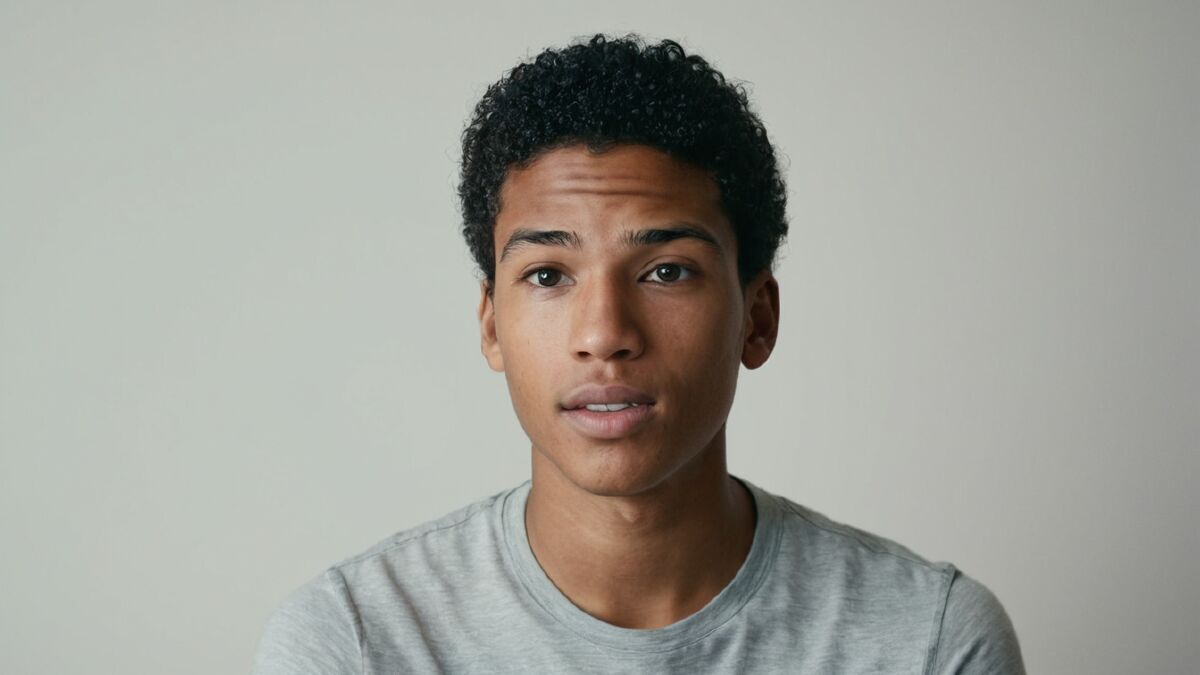
Framing: Chest-up. Too close feels oppressive; too far and your facial expressions are lost. Ensure that when you gesture, your hands stay within the frame rather than appearing out of nowhere.
Hold a pause before responding. A half-second lag is normal for connectivity; if you start speaking the instant the other person finishes, you will likely overlap and break the flow of the dialogue.
Don't play for the size of the room. The microphone is right there, and the camera is close. This is a close-up, not a stage play.
Minimize sudden movement. Sharp movements can be turned into a pixelated blur by video compression.
The Scene and Direction
The order is usually the same as an in-person audition: a brief introduction, the slate, the scene, adjustments, and questions. The partner's lines are typically read by someone on the call—flatly and without acting.
Direction is more valuable here than in a self-tape: they can tell you to "try it quieter" and see the result immediately. Your reaction should be the same as in person—listen, ask one clarifying question if necessary, and execute. Arguing about interpretation via video call is even worse than in a room: through compressed audio, your tone can sound harsher than you intend.
When Tech Fails
The image freezes mid-scene. Stop immediately and say calmly: "I think my screen has frozen; can you still hear me?" Do not keep acting into a void.
Sound disappears. Check if you are muted in the software—this is the most common cause. If that doesn't work, type a message in the call chat.
You get dropped from the call. Reconnect immediately without long apologies: "Apologies, my connection dropped. Shall we continue?"
The connection is very poor. Suggest that the other participants turn off their video to free up bandwidth. Or, if agreed upon beforehand, offer to switch to mobile data.
Technical glitches happen to everyone, and you aren't judged by the glitch itself. You are judged by how you react: panic is obvious, but a calm solution is also noticeable.
Common Mistakes
- Backlighting. Having a window behind you is the most common and most noticeable error.
- No headphones. Echoes and requests to repeat lines can eat up half of your time slot.
- Low camera angle. A perspective that no amount of acting can save.
- Reading from the screen. Shifting eyes are immediately obvious.
- Active notifications. A pop-up message in the middle of a scene distracts both you and the casting director.
- Connecting at the last second. A five-minute buffer solves most software update issues.
Summary
Front lighting, camera at eye level, headphones, wired connection, plain wall, and connecting five minutes early. Look into the lens, hold your pauses, and act for a close-up. If a glitch occurs, state it clearly and move on. You only have to set up your tech once, and it will work for every subsequent audition. Please note that specific rates, contract forms, and tax rules vary by market.
Projects currently casting can be found in the castings section.
Share


Author: Claire Bennett, platform editor
Publication date: August 18 2026
Views: 7
Comments
Other materials in this section

Twelve essential questions to eliminate uncertainty before you step into the room, plus what to avoid asking and how to maintain a professional tone.
 Auditions in India
 Casting calls in USA
 Castingi w Polsce
 Кастинги в Україні
